
Decompressly
Drop in a ZIP, RAR, 7Z or TAR file and get a tidy folder of files a moment later, right where you expect it. No setup, no fuss, and nothing ever leaves your device.


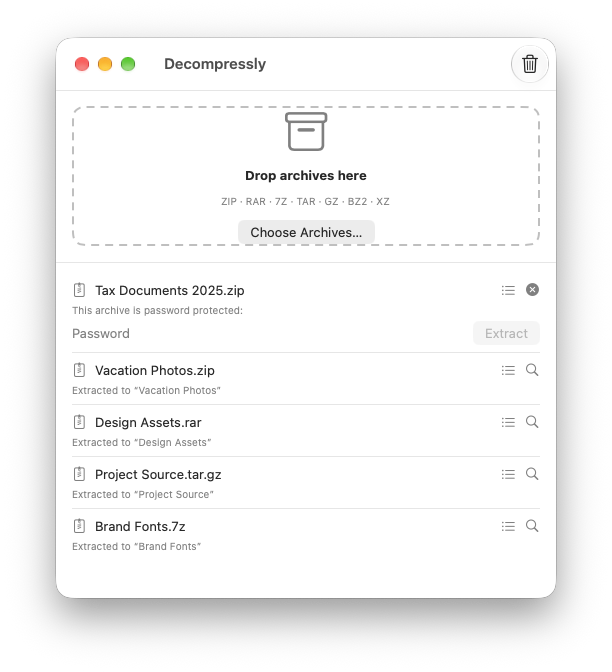
Squeeze the files out
Open an archive
Double-click it in Finder, drop it on the window or the Dock icon, or share it from the Files app on iPhone and iPad.
Decompressly extracts it
Several archives at once? They’re handled one after another, each with its own progress bar.
Get a tidy folder
Photos.zip becomes a Photos folder right next to the archive. The original is never changed.
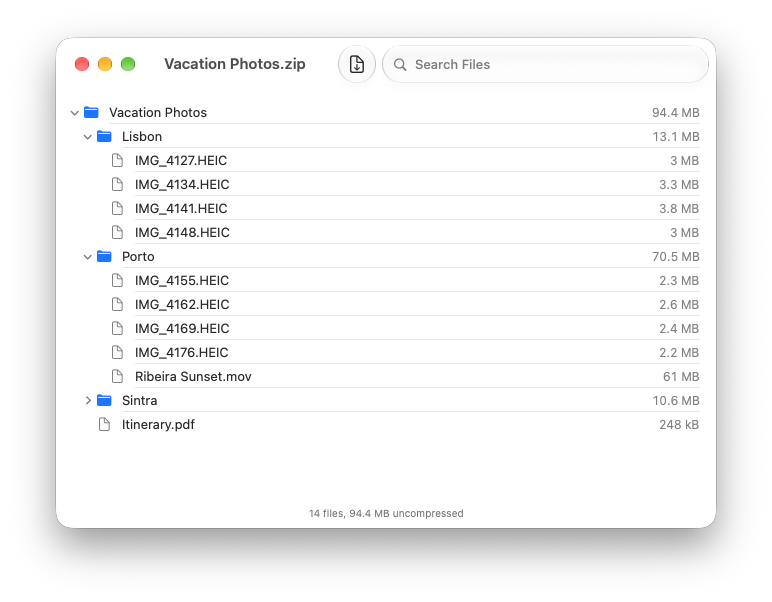
See what’s inside first
Not sure what an archive contains? Open its contents and look around before extracting a single file. When you’re ready, one click extracts it.
- Browse folders without extracting anything
- Search for a file by name
- See each file’s size and the total once extracted
- Spot password-protected files at a glance
The details are taken care of
No more Photos/Photos
If an archive holds a single folder, you get that folder directly instead of a folder inside a folder.
Never overwrites
If a folder with that name already exists, the new one becomes “Photos 2”. Nothing you have is ever replaced.
Password-protected ZIPs
Decompressly asks for the password right in the list, and lets you try again if it’s wrong.
Split RAR archives
Open Movie.part1.rar (or all the parts) and the pieces are joined automatically into one folder.
No clutter
The __MACOSX folders and .DS_Store files that Mac archivers add are left out of the result.
Safe by design
Archives that try to place files outside their own folder are blocked, and on Mac extracted files keep the download warning so macOS still checks them.
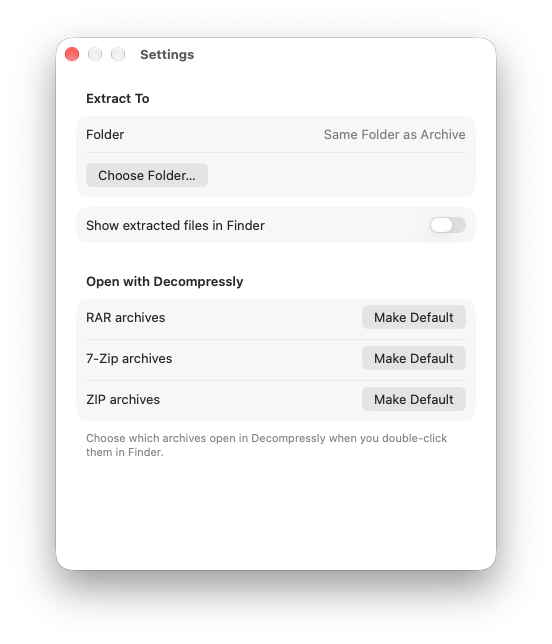
Your new home for RAR and 7Z
Make Decompressly the app that opens your archives with a single click in Settings. From then on, just double-click a file in Finder.
- Double-click archives in Finder, or use Open With
- Drop archives on the window or the Dock icon
- One-click Make Default for RAR, 7Z and ZIP files
- Extracted files appear right next to the archive
Archives on the go
Got a ZIP in an email or a RAR from a download? Open it in Decompressly and your files are ready in the Files app.
Open from anywhere
Share an archive from the Files app, Mail, Messages or Safari and choose Decompressly.
Drag and drop on iPad
Drag archives from the Files app straight into Decompressly when they’re side by side.
Find files in Files
Extracted files land in On My iPhone › Decompressly, ready to open, share or move.
Or anywhere you like
Pick any folder in Settings, including iCloud Drive, and every archive is extracted there.
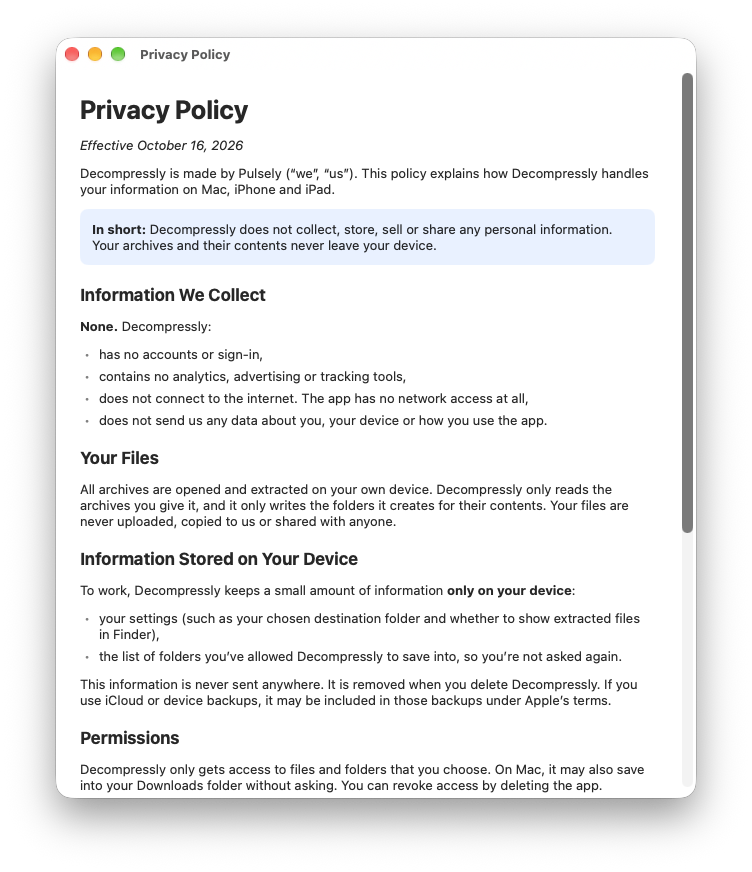
Everything happens on your device
Your archives are opened and extracted locally. Decompressly can’t send your files anywhere, because it never connects to the internet.
- No internet access at all
- No accounts, ads or tracking
- No data collected, ever
- Your files never leave your device
Good to know
Which formats does Decompressly open?
ZIP (including password-protected ZIP files), RAR versions 4 and 5 (including split archives), 7Z, TAR, and compressed TAR archives: .tar.gz, .tgz, .tar.bz2, .tbz2, .tar.xz and .txz. It also decompresses single .gz, .bz2 and .xz files straight to the file inside.
Where do my extracted files go?
On Mac, into a new folder next to the archive, named after it. On iPhone and iPad, into the Decompressly folder in the Files app. On any device you can choose a fixed folder in Settings instead.
Why does the Mac app ask for access to a folder?
Like every app from the Mac App Store, Decompressly can only save into folders you’ve allowed. Archives in your Downloads folder work right away. For other folders it asks once, and remembers your answer for that folder and everything inside it.
Can it open password-protected RAR or 7Z archives?
Not yet. Password-protected ZIP files are supported, but encrypted RAR and 7Z archives aren’t. Decompressly tells you clearly when it finds one, rather than asking for a password that can’t work.
Does Decompressly upload my files anywhere?
No. Everything happens on your device, and the app has no internet access at all. See the privacy policy for details.
Unzip. Unrar. Done.
Decompressly for Mac, iPhone and iPad. No accounts, no ads, no tracking. Just your files.